Placeholder B-Roll and Animatics for a Nature Film: I Tested an AI Video Model on Water, Fog, Leaves and Animals
Every nature film I’ve cut has had the same hole in the middle of the edit. The story is built, the interviews are in, and half the timeline is still black slates that say “HERON SHOT – SPRING” or “FOG OVER VALLEY – WAITING ON WEATHER.” The footage exists only in the future, after the right morning finally shows up.
I’m currently editing a half-hour film about a small river valley, and I wanted to know if AI video could fill those slates with something closer to the real shot. Not footage for the finished film. Placeholders that help me judge pacing, show a funder what a sequence will feel like, and turn my pencil storyboards into moving animatics. Then every one of them gets replaced with real footage before picture lock.
I ran seven clips through Kling 4.0 and scored them on the things nature audiences notice first: water, fog, foliage and animal movement.
What the model offers
Kling 4.0 makes clips from 3 to 30 seconds at 720p or 1080p, in 16:9, 9:16, 1:1 or 21:9, and every clip comes with a stereo soundtrack. You can start from a text description, a first frame (and optionally a last frame), or reference images. The listed prices are per second of output: about $0.14 at 720p and $0.21 at 1080p.
All seven of my clips were billed at exactly those rates, and all seven finished on the first try. Clips arrived at 24 frames per second. A 720p request came back at 1280×720, and the 21:9 request at 1080p came back at 2200×940.
I scored each clip from 1 to 5 on one question: how long would this survive in a rough cut before someone who knows the subject winced? I also used frame tracking to check whether the camera did what I asked.
Water: a mountain stream
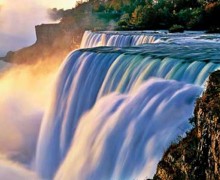
I started with the cheapest possible probe, a 3-second clip at 720p for $0.42. Prompt: “A small clear mountain stream tumbles over mossy boulders in a shaded forest, white water splashing and swirling into a calm pool. Locked-off tripod shot at water level. Natural stream sound only.”
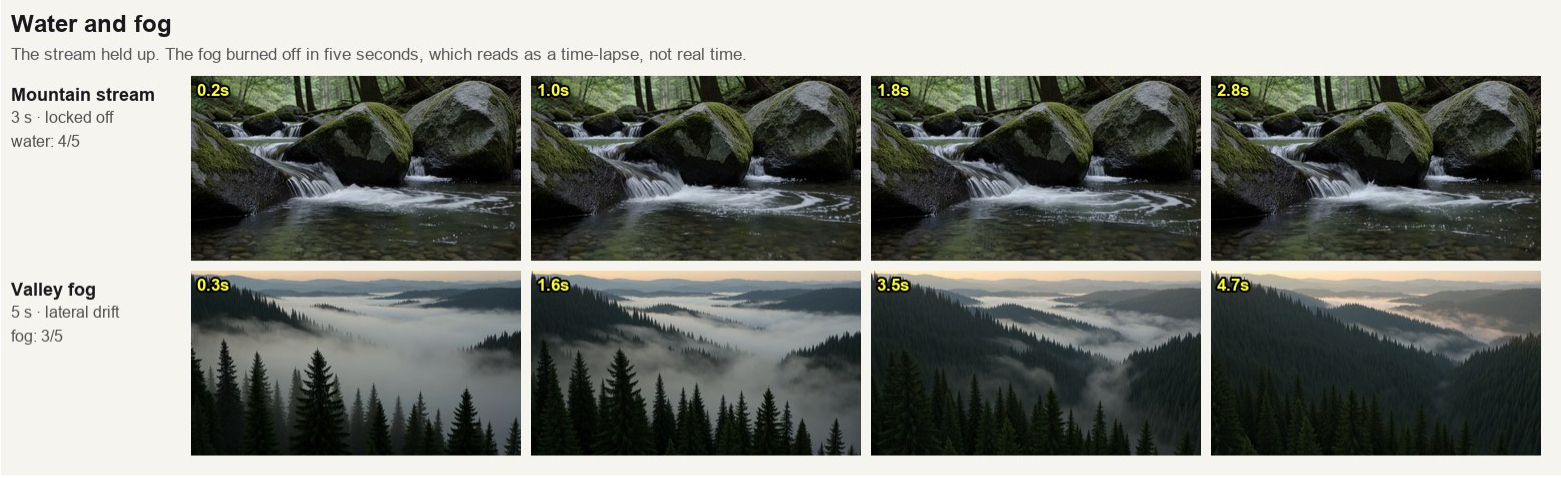
Top: the stream, rock steady. Bottom: the fog, which clears far too fast.
This was the best clip of the day. The camera stayed perfectly locked (zero measurable drift), the white water had believable texture, and the swirl in the pool kept moving instead of freezing. In three seconds I couldn’t find anything wrong. Water: 4/5. I held back the fifth point only because three seconds is too short to catch the looping patterns that longer generated water tends to show.
Fog over a conifer valley
Prompt: dawn fog rolling through a valley of dark conifers, “thinning as pale sunlight breaks through,” with a very slow lateral drift. Five seconds, $0.70, ready in 3.4 minutes.
The fog itself looked lovely in any single frame. The problem was time. The whole valley went from full fog to nearly clear in five seconds, which is how a time-lapse looks, not real-time weather. The camera drifted about 8% of the frame width in the first two seconds and then stopped, and the near treeline subtly reshaped itself as the fog cleared. In a rough cut it works as a time-lapse stand-in; as a real-time shot it doesn’t. Fog: 3/5.
Foliage and two animals
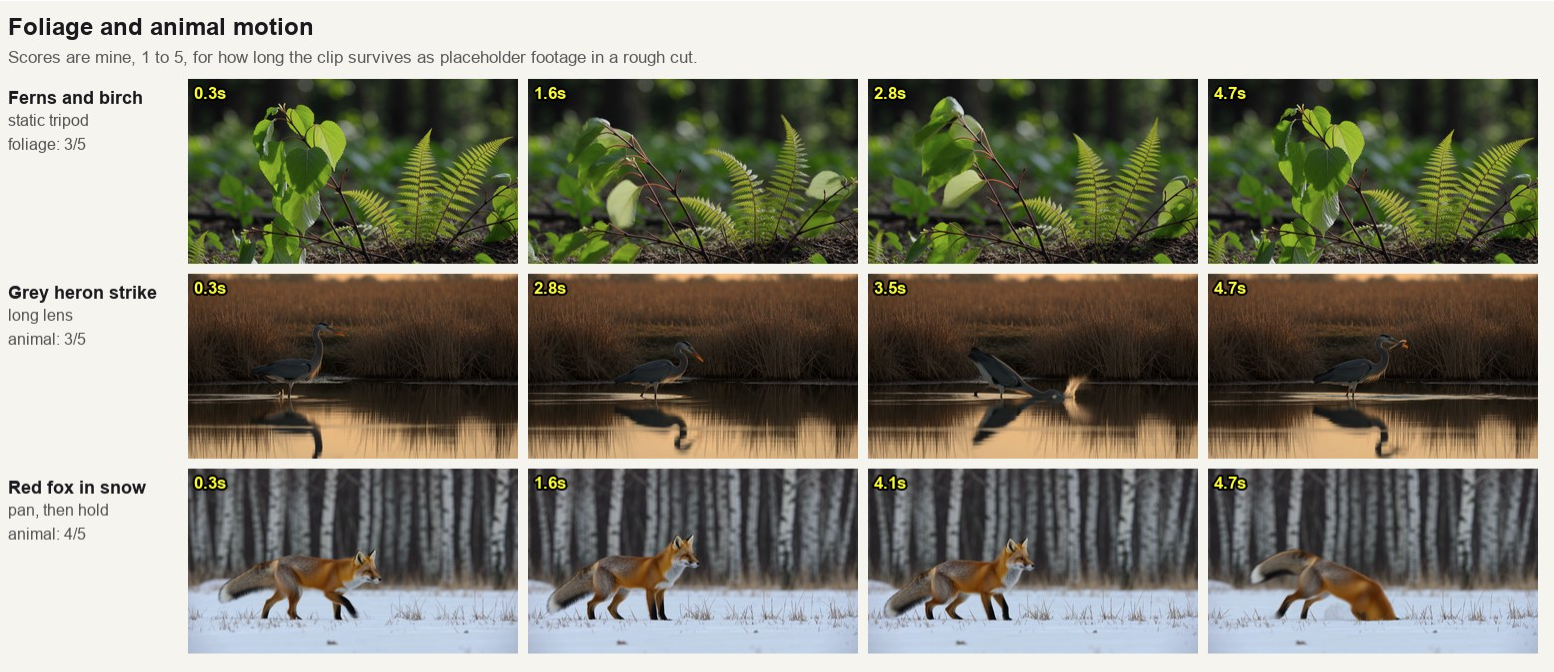
Three 5-second clips at 720p, $0.70 each.
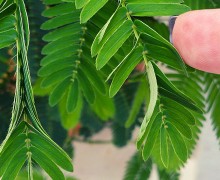
Ferns and birch leaves (3/5). The tripod held (under 1% drift) and the dappled light was good. But the wind wasn’t consistent: the birch sapling whipped back and forth while the fern beside it barely moved, and the sapling ended almost exactly where it began, which hints at a loop. Fine behind narration; not fine for a botanist.
Grey heron strike (3/5). The heron waded, paused and struck between about 3.3 and 4.0 seconds, and came up with a fish. The reflection mostly tracked the bird, which surprised me. But the splash erupted slightly ahead of the beak, and the fish simply appears. Anyone who has filmed herons will notice the strike is too soft.
Red fox in snow (4/5). The best animal clip. The trot looked right, the camera panned about 21% of the frame to follow and then held, and the fox stopped, tilted its head and dove nose-first into the snow, all in the requested order. The clip ends mid-pounce, so I’d extend it or cut around that.
For the kind of slate-filling I do, the Kling 4.0 video API was good enough on the fox and the stream to change how a sequence plays in the edit. Animal behaviour is where I’d be most careful, because a placeholder that looks real can quietly shape the story you think you’re telling.
Turning a storyboard into an animatic
My favourite use wasn’t realism at all. I sent one of my pencil storyboard panels, a misty river with a heron in the shallows, as the first frame and asked for slow fog movement, a gently flowing river and the heron lifting its head and taking two steps, “keep the pencil sketch style.”

The board stays a board, which is exactly what I want in an animatic.
It stayed in pencil for all five seconds, pushed in about 6%, and the heron raised its neck. It didn’t really take two steps, and the fog barely moved. Still, for $0.70 a panel, I can hand a funder a moving board sequence that nobody will mistake for real footage. One small note: from my 1312×736 board the clip came back at 1292×724, so check your timeline settings.
A 21:9 establishing shot at 1080p
Last, a widescreen opener: storm clouds over a mountain lake, rain sweeping the far shore, “the wind ruffles the water surface,” a shaft of light on a forested island, slow aerial push forward. Eight seconds at 1080p cost $1.68.
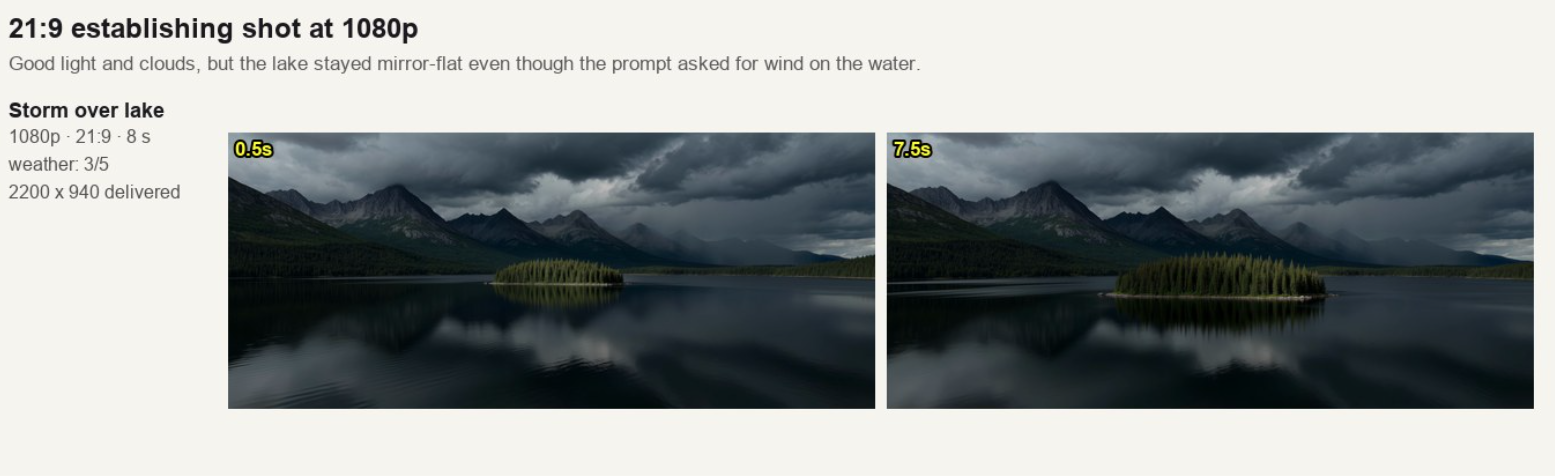
Beautiful light, but no wind on the water.
The push forward was smooth (about 16% over eight seconds) and the light on the island was right. The lake, though, stayed mirror-flat under a sky that looked ready to explode, and the rain was a faint haze on the far right. A viewer who has stood by a lake in a storm will feel that something is off. Weather: 3/5.
Time and cost
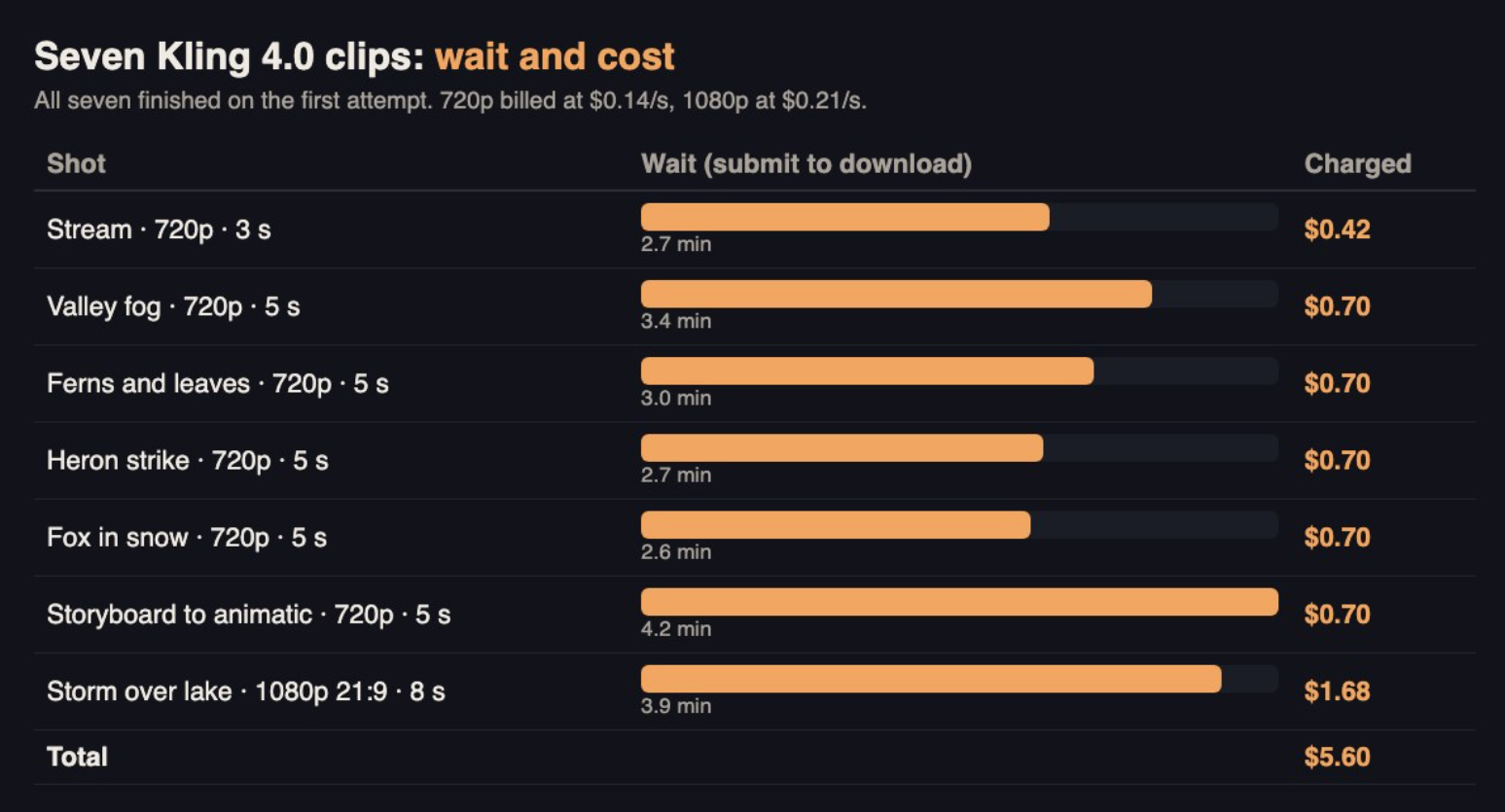
Seven clips, all first attempts.
The seven clips came to $5.60, plus $0.016 for generating the pencil board. Waits ranged from 2.6 to 4.2 minutes. My scores: stream 4, fog 3, foliage 3, heron 3, fox 4, storm 3. Nothing scored 5, and that’s fine for placeholders.
The rules I’m keeping
Nature films depend on trust. Audiences assume that the animal really did that, in that place, and that someone waited to film it. So:
- Never present an AI clip as real wildlife footage. Not in the film, not in a trailer, not in a funding reel without a clear label.
- Burn in a label. Every generated clip goes on the timeline with “AI TEMP – REPLACE” in the corner, so it can’t slip through to a final export.
- Don’t let placeholders write the story. If the real heron never strikes on camera, the sequence changes. The generated clip doesn’t get to decide what the animal does.
- Replace before picture lock. The slate is filled with real footage or a drawing, never with the AI clip.
Used that way, a few dollars of generated clips made my rough cut easier to read and my storyboards easier to pitch. The real shots still need early mornings, cold hands and patience.